
Photoshop Training Class
Photoshop Training Class – one to one LIVE instruction
You can quickly learn to create engaging images by taking an Adobe Photoshop training class, a one-to-one live course with AMT. If you have a specific design project, need to learn the basics of Photoshop or require training to become a Photoshop expert, we provide the courses and training options to get you up to speed as fast and efficiently as possible. Our Adobe Photoshop classes are always live with an instructor. Online, or on-site at your offices. Regardless of your current experience in Photoshop, we can assist you. Simply because each Photoshop class is private, addressing your current skill level and objectives is your instructor’s only agenda. You are the focus of the class and we will teach you exactly what you need to know.
Photoshop Private Custom Class - Beginner (12 Hours)
Live Online
Cost: $795
Photoshop Beginner Class Description:
This class is for anyone who needs to learn how to create raster based images for print, video or web. This application is a must for anyone in digital media content creation. Photoshop is known the world over as the most popular graphic design application. It is vast and can be quite complex. taking a Photoshop Private Custom Class is without question, the best way to learn Photoshop
Class Topics:
- Navigate through the Photoshop interface
- Set up the application
- Work with Photoshop color
- Understand pixels vs. vectors
- Select artwork
- Use Layers
- Utilize Masks
- Understand Channels
- Use Type
- Work with Filters
- Optimize Images for the Web
- Create Rollovers and Slice Images
- Use ImageReady to create web graphics
Lesson 1: Getting to Know the Work Area
- Starting to work in Adobe Photoshop
- Using the tools
- Using the options bar and other panels
- Undoing actions in Photoshop
- Customizing the workspace
- Finding resources for using Photoshop
- Checking for updates
Lesson 2: Basic Photo Corrections
- Strategy for retouching
- Resolution and image size
- Getting started
- Adjusting the color in Camera Raw
- Straightening and cropping the image in Photoshop
- Replacing colors in an image
- Adjusting saturation with the Sponge tool
- Repairing areas with the Clone Stamp tool
- Using the Spot Healing Brush tool
- Using content-aware fill
- Applying the Unsharp Mask filter
- Saving the image for four-color printing
Lesson 3: Working with Selections
- About selecting and selection tools
- Getting started
- Using the Quick Selection tool
- Moving a selected area
- Manipulating selections
- Using the Magic Wand tool
- Selecting with the lasso tools
- View Sample
- Rotating a selection
- Selecting with the Magnetic Lasso tool
- Cropping an image and erasing within a selection
- Refining the edge of a selection
Lesson 4: Layer Basics
- About layers
- Getting started
- Using the Layers panel
- Rearranging layers
- Applying a gradient to a layer
- Applying a layer style
- Flattening and saving files
Lesson 5: Correcting and Enhancing Digital Photographs
- Getting started
- About camera raw files
- Processing files in Camera Raw
- Merging exposures and applying advanced color correction
- Correcting digital photographs in Photoshop
- Correcting image distortion
- Adding depth of field
Lesson 6: Masks and Channels
- Working with masks and channels
- Getting started
- Creating a mask
- Refining a mask
- Creating a quick mask
- Manipulating an image with Puppet Warp
- Working with channels
Lesson 7: Typographic Design
- About type
- Getting started
- Creating a clipping mask from type
- Creating type on a path
- Warping point type
- Designing paragraphs of type
Lesson 8: Vector Drawing Techniques
- About bitmap images and vector graphics
- About paths and the Pen tool
- Getting started
- Using paths with artwork
- Creating vector objects for the background
- Working with defined custom shapes
- Importing a Smart Object
Our Photoshop Training Custom Class is specifically organized for you. Before we start teaching, our instructors will discuss your current skill level, experience and objectives to ensure you get the most out of your training.
Photoshop Private Custom Class - Advanced (12 Hours)
Live Online
Cost: $895
Photoshop Advanced Class Description:
This class is for anyone who creates and works with digital images and seeks to advance beyond the basic skill sets.
Class Topics:
- Color correction of Master Images
- Photo composition
- Photo retouching
- Color management
- Advanced layer techniques
- Color matching
- Advanced halftone techniques
- Advanced tool techniques
- Automation techniques
- Photoshop workflow
Lesson 1: New Feature Overview
- Improved Interface
- Adjustment Layer Panel
- Mask Panel
- Improved Dodge, Burn and Sponge Tools
- Enhanced Photomerge technologies including 360 panoramics
- Content Award Scaling
- Fluid Motion Canvas rotation, Zooming and Panning
- Enhanced 3d graphics editing
Lesson 2: Tool and Palette Primer
- Preparing your workspace
- Working with screen modes
- Navigating your document
- Picking colors
- Basic editing tools
- Adobe Bridge
- Editing menus
- Editing keyboard shortcuts
Lesson 3: Selection Primer
- Basic selection tools
- Magic Wand tool
- Quick Select tool
- Refining a selection
- The Select menu
- Quick Mask mode
Lesson 4: Resolution Solutions
- Understanding pixel size
- Resizing images and Pixel Interpolation
- Printing Considerations
Lesson 5: Using Camera Raw
- The Camera Raw dialog box
- Adjusting Multiple images
- Finishing touches
Lesson 6: Color Manipulation
- Using the color wheel
- The Hue/Saturation dialog box
- Replacing color
- Color Balance
- Levels/Curves
- Color Replacement tool
- Channel Mixer
- Gradient Map
Lesson 7: Adjustment Layers
- Using Adjustment Layers
- Photo filter adjustments
- Blending Modes
- Adjusting isolated areas
- Potential problems
- Limitations of Adjustment Layers
Lesson 8: Noise Removal and Sharpening
- Removing film grain and scanner/camera noise
- Compression noise
- How sharpening works
- Selective Sharpening
Lesson 9: Advanced Masking
- The NEW Mask panel
- The Background Erase tool
- The Extract filter
- The Blending sliders
- Creating a mask from Channels
- Vector Masks
- Layer Masks
Lesson 10: Collage
- Creating a panoramic image with photomerge
- Clipping Masks
- Blending Sliders
- Layer Masks
- Vector Masks
- Smart objects
- Warping
- Creating complex collages
Lesson 11: Retouching and Restoration
- Patch tool
- Healing Brush tool
- Spot Healing Brush tool
- Vanishing point
- NEW IMPROVED Dodge, Burn and Sponge tools
- Blur and Sharpen tools
- Lens Correction filter
- Liquify filter
Lesson 12: The Master Image Workflow
- Image capture – resolution
- Initial rough crop and straighten
- Spotting
- Global tonal adjustments
- Global color adjustments
- Reduce or remove noise/grain
- Local tonal adjustments
- Fine-tune localized colors
- Interpret colors
- Double and triple check masks
- Retouching
- Creative effects
- Save master file
- Create output specific files
Lesson 13: Working with 3D graphics
- Using 3D shapes presets
- Importing 3D files
- Manipulating 3D objects
- Adjusting 3D lighting and surface textures
- Compositing 3D objects with 2D images
Our outlines are a guide to the content covered on a typical class. We may change or alter the class topics to meet the objectives of a particular class. As this is a Photoshop Private Custom Class, we will do our best to tailor the course specifically for you.
Additional Course Information
Need a Software Copy?
Need to get a licensed copy of Photoshop before your class?
https://www.adobe.com/products/photoshop.html?promoid=PC1PQQ5T&mv=other#
A trial version is also available for your Photoshop Class
Photoshop On-Site Classes
If you prefer that we to come to your place of business and want a private in-person class, we can certainly deliver a Photoshop course on-site. Cost will depend on the number of students and also your location. The larger the group, the lower the cost per student.
Please complete our contact form here
Photoshop Graphic Design and Consulting
Photoshop is a wonderful, powerful and quite complex application. That is one of the reasons taking private instruction is a huge benefit. If you don’t want to attend a Photoshop class and simply need help on a specific project, we can help
Please complete our contact form here
Photoshop Class Features
When taking an Adobe Photoshop Private Custom Class, you will leap ahead learning a world standard when it comes to designing and editing graphic applications.
Photoshop has been around since the early 90’s And we began teaching it in 1997. So after 19 years of development and teaching Photoshop courses, we know the program pretty well. It is Adobe’s most popular application (excluding Acrobat) and is now a household term. Even become a verb; to Photoshop
When teaching Photoshop one on one, you learn much better and much faster. You have a lot more time to focus on the specifics of Photoshop, gets lots of hands on attention and of course can ask your instructor anything about the course or Photoshop itself. After training thousands of students for the last 25 years, experience counts, and hands down, a Photoshop private custom class is without a doubt, the best way to learn Photoshop
Your Photoshop Class is guaranteed to run
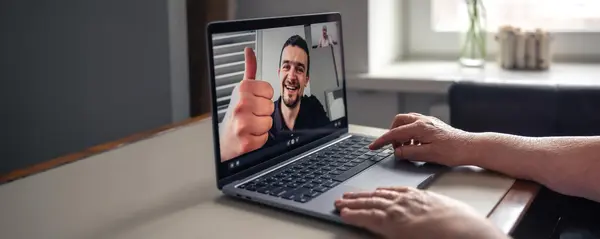
There are many training companies who offer Photoshop training classes either online or in-person but cancel them due to low enrolment. This will not happen when you book a private class with AMT.
Private Class Benefits
You have a certified instructor all to yourself for 12 hours
We go at your pace as it is a private class
The course is customized to your specific objectives and needs
The dates and even times are flexible to suit your schedule
Work with your own content or projects
There is no travel time or associated costs
The price is the same or less than attending a public class with other students who may have different agenda’s and skill levels to your own
Tips & Tricks
Hold down Alt to start a selection at the centre point with any Marquee tool, and then hold Space to temporarily move the selection around.
There’s a really easy way to overlay an image on top of text. Drop an image layer over a type layer then hold down Alt and click the line between the two layers in the Layers Panel to clip the image to the text.
You probably know that Cmd/Ctrl+Z is Undo, but you may not know Cmd/Ctrl+Alt+Z lets you undo more than one history state.
] and [ Change your brush tip size
Hold down Alt and drag a mask, style or layer to quickly duplicate it.
Double-click the Background Layer and hit OK to convert it to an editable layer

Apple, Adobe & Web Development
World Class Tutors
You can rely on the expertise of our instructors. We have delivered hundreds of classes to thousands of students over 15 years.
Support
When you attend our class, all students receive class materials, a certificate on completion and 3 months support from our certified instructors.
Risk Free
We guarantee your training and offer all our student a full refund if they are not satisfied with their training experience within the first 2 hours of training.
We also offer Photoshop training classes in the following cities: